A step-by-step guide to adding the MSC ecolabel to your products and marketing materials.
Step 1: Add the MSC ecolabel to your materials
Once you've signed a license, the Licensing Team will provide you with a high-resolution copy of the ecolabel (formats: AI, EPS, JPEG, TIFF, PDF).
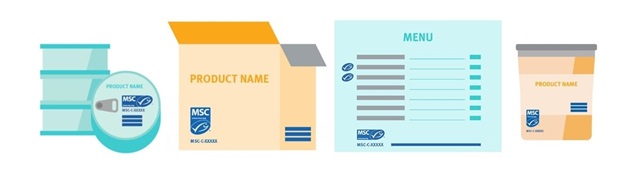
Incorporate the MSC ecolabel, claim, and Chain of Custody (CoC) code into the design of your materials - including menus, product labels, posters, etc. - following the rules set out in the MSC Ecolabel User Guide.
Step 2: Submit color proofs
Please submit color proofs of all materials carrying the MSC ecolabel before printing or using publicly, preferably in PDF format.
Email the following files to [email protected].
For new product packaging:
- final designs of front and back labels in PDF format.
- any additional stickers with product information.
- a completed Product Approval Form.
For new menus or fresh fish counter items:
- Final designs of menus, fish counter tags, or any artwork marking your product as MSC labelled.
For promotional materials:
- Final designs of new promotional materials.
- Once approved, you can use the same format for future materials. We may occasionally ask to see your latest materials to ensure the MSC ecolabel is still being used correctly.
For updated artworks:
- Redesigns of previously approved product artworks and menus, only when there have been changes to:
- the MSC ecolabel, MSC claim, or MSC Chain of Custody code
- the seafood species used
- marketing text about the MSC or other seafood certification logos
Step 3: Get Approval
Once the design has been submitted, the Licensing Team will send you written approval. Only at this stage should you print your materials.As a license holder, you'll be able to access our suite of visual assets to promote your commitment to MSC certified seafood.
Click here to request an account.
MSC/ASC CO-LABELING RULES